Play Poor Bunny Anywhere: School & Work Guide
Stuck at your desk during a break and need a quick escape? Are you looking for a fun game you can play at school or work without getting blocked? It’s a common frustration. You have a few minutes to spare, but school or office networks often restrict access to gaming websites. This leaves you staring at a loading screen or, worse, a "Access Denied" message.
Here's the great news: your downtime just got a lot more exciting! Poor Bunny is a delightful and addictive platformer game designed for instant fun. It’s free, browser-based, and built to be accessible anywhere, even on restricted networks. Forget about downloads or installations; you can start playing right away.

This guide will show you exactly how Poor Bunny bypasses common network blocks and how you can optimize your experience for seamless gameplay. We’ll cover tips for playing discreetly and making the most of your short breaks. Ready to turn your boring breaks into an exciting carrot-collecting adventure? You can play Poor Bunny now and see for yourself.
Understanding Network Restrictions at School & Work
Ever wonder why your favorite games get blocked at school or work? Network administrators use filters to block websites that distract, use lots of bandwidth, or create security risks. Gaming sites are a common target because they can slow down the network for everyone else.
These restrictions can be frustrating when you just want a few minutes of fun to recharge. But not all games are created equal. Some, like Poor Bunny, are designed with accessibility in mind, making them the perfect companion for your breaks. Let's explore how these blocks work and how Poor Bunny cleverly navigates them.
Common Blockers and Why Games Get Restricted
Network administrators use several methods to control internet access. They might block websites based on their category (e.g., "Games," "Social Media") or by blocking specific file types like .exe files, which prevents you from downloading and installing software. Games that require heavy downloads or constant, high-bandwidth streaming are often the first to be flagged.
These policies are in place to maintain productivity and network security. An employee downloading a large game could slow down critical business operations. A student playing a high-intensity online game could disrupt the network for an entire classroom. That’s why lightweight, browser-based solutions have a significant advantage.
How Poor Bunny Stays Unblocked
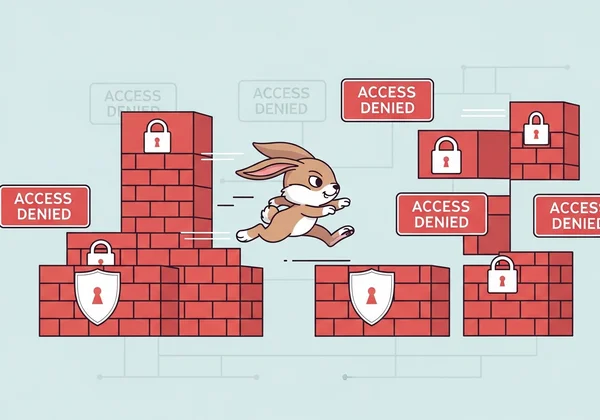
Poor Bunny is designed to be the exception to the rule. Unlike many online games, it doesn't require any downloads or installations. It runs directly in your web browser using HTML5 technology, which is the same modern standard used by websites like YouTube and Google Docs. Because it looks like normal web traffic, it’s far less likely to be detected and blocked by network filters.
Furthermore, Poor Bunny is incredibly lightweight. It loads quickly and uses minimal data, so it won't strain the network. This "unblocked" nature means you can reliably start playing now on a school computer, your personal laptop during a lunch break, or even your phone, without needing special permissions or workarounds.
Optimization Tips for Restricted Networks
Even when a game is unblocked, a slow or unstable network can ruin the fun. School and office Wi-Fi can be notoriously slow, especially when many people are using it at once. Lag or stuttering can make the difference between grabbing that last carrot and falling into a trap.
Fortunately, there are a few simple tricks you can use to ensure your Poor Bunny sessions are as smooth as possible. These tips will help you optimize your browser and manage your connection, giving you a competitive edge even on a sluggish network.
Browser Settings That Improve Accessibility
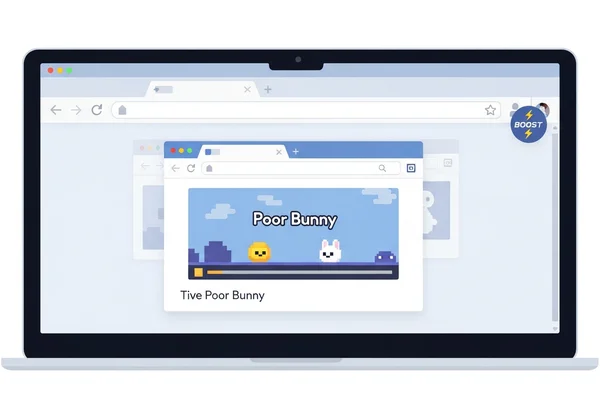
Your web browser is your gateway to Poor Bunny, and a few tweaks can make a big difference. First, ensure your browser (like Chrome, Firefox, or Safari) is up to date. Newer versions have better performance and security, which helps games like Poor Bunny run more smoothly.
Next, consider clearing your browser's cache and cookies. Over time, this data can build up and slow things down. A quick clear-out can often lead to faster loading times. For an even bigger boost, try closing unnecessary tabs. Each open tab consumes memory and processing power, so giving Poor Bunny your browser's full attention will result in a much better experience.
Data Saving Methods for Slow Connections
If you're on a particularly slow connection or using a limited mobile data plan, every bit of data counts. Poor Bunny is already data-friendly, but you can take it a step further. Many browsers have a built-in "Data Saver" or "Lite" mode. Enabling this feature can help compress web page elements and prioritize loading the core content—in this case, the game itself.
Another simple but effective method is to ensure no other applications are consuming bandwidth in the background. Close any streaming services, cloud-syncing apps, or large downloads before you start playing. This dedicates your entire connection to the game, minimizing lag and ensuring your bunny responds instantly to your commands. Give it a try and play the game to feel the difference.
Stealth Gameplay Techniques
Playing a game during a short break is one thing, but doing it without drawing unwanted attention is another. Whether you’re in a quiet library or an open-plan office, you need to be discreet. The key is to blend your quick gaming session seamlessly into your workflow or study time.
Poor Bunny is perfect for "stealth gaming." Its simple controls and quick sessions let you jump in, play a few levels, and get back to work in minutes. Here are some strategies to help you enjoy your break without anyone noticing.
Quick Session Strategies for Short Breaks
Poor Bunny levels are short and sweet. Most can be completed in just a minute or two, making it ideal for the five-minute gap between classes or meetings. The goal is to collect all the carrots and avoid traps, which provides a satisfying challenge without a long time commitment.
A great strategy is to set a small goal for each session. For example, aim to beat just one or two levels, or try to unlock a new bunny skin. This gives you a sense of accomplishment without the risk of getting lost in the game for too long. Once your break is over, you can simply close the tab, and your progress on unlocked skins is saved for next time. Ready for a quick challenge? Try it now.
Muting Sound for Discreet Play
The most obvious giveaway that you're playing a game is the sound. Poor Bunny has a charming soundtrack and fun sound effects, but they can be a dead giveaway in a quiet environment. Fortunately, this is an easy fix. The game includes a simple on-screen mute button, usually represented by a speaker icon.
Before you start your first level, just click the mute button. This allows you to enjoy the full visual experience of the game in complete silence. If you prefer using headphones, that’s another great option, but muting the game directly is the safest and most discreet method for playing unnoticed during your work or school day.

Final Thoughts
Who says your breaks can't be both productive and fun? While network restrictions and slow connections can be a barrier, Poor Bunny is designed to be the perfect solution. Its browser-based, lightweight, and unblocked nature means you can access it anytime, anywhere, without any hassle.
We've covered how the game cleverly avoids common network blocks, how to optimize your browser for a smoother experience, and how to play discreetly during your short breaks. The bottom line: Poor Bunny is fast, accessible, and perfect for quick gaming sessions.
You no longer have to be bored during your downtime. A world of carrot-collecting adventure is just a click away. Ready to put these tips into action and master the art of stealth gaming? Play Poor Bunny for free and start your carrot-collecting adventure!
Frequently Asked Questions
How can I access Poor Bunny at school if it's blocked?
While Poor Bunny is designed to be unblocked, some very strict networks might still restrict it. If you face issues, ensure you are using the official site, as other websites are more likely to be blocked. Playing in an up-to-date browser like Chrome or Firefox also increases your chances of success, as they handle modern web standards best.
Is Poor Bunny really playable on low-spec devices?
Absolutely! Poor Bunny is an HTML5 game, which means it’s highly optimized to run on a wide range of hardware. You don't need a powerful gaming PC. It runs smoothly on older school computers, basic laptops, tablets, and mobile phones, making it one of the most accessible games available.
What makes Poor Bunny different from other unblocked games?
Many "unblocked" game sites are filled with ads or contain dozens of low-quality games. PoorBunny.net is dedicated solely to Poor Bunny, offering an authoritative and safe experience. It also features multiple game modes, including 2-player co-op and versus, and over 100 collectible skins to unlock, providing depth and replayability that most other simple unblocked games lack.
How do I make sure my gameplay stays unnoticed during work?
The best tips are to mute the game sound using the in-game button and to play in short bursts. Since levels are quick, you can easily finish one or two in just a few minutes. When your break is over, simply close the browser tab. No one will know you were just on an epic carrot-collecting quest!
Can I save my progress when playing on different devices?
Progress for unlocked skins in Poor Bunny is saved locally to your browser's cache. This means if you consistently use the same computer and browser, your collection of over 100 bunnies will be waiting for you. However, this progress won't sync between your work computer and your personal phone. But this also means you don't need an account to play the game, ensuring instant access every time.